Define Your Scope.
Tell your AI what you're working on — once. From then on, every document, every search, every answer is shaped by your context.
Topic. Industry. Details.
Three fields define your project's scope: Topic — what you're working on. Industry — your field. Details — everything else: instructions, constraints, references, style.
Set them once. The AI adapts its vocabulary, depth, and format to your work — a grant proposal, a research paper, a pitch deck.
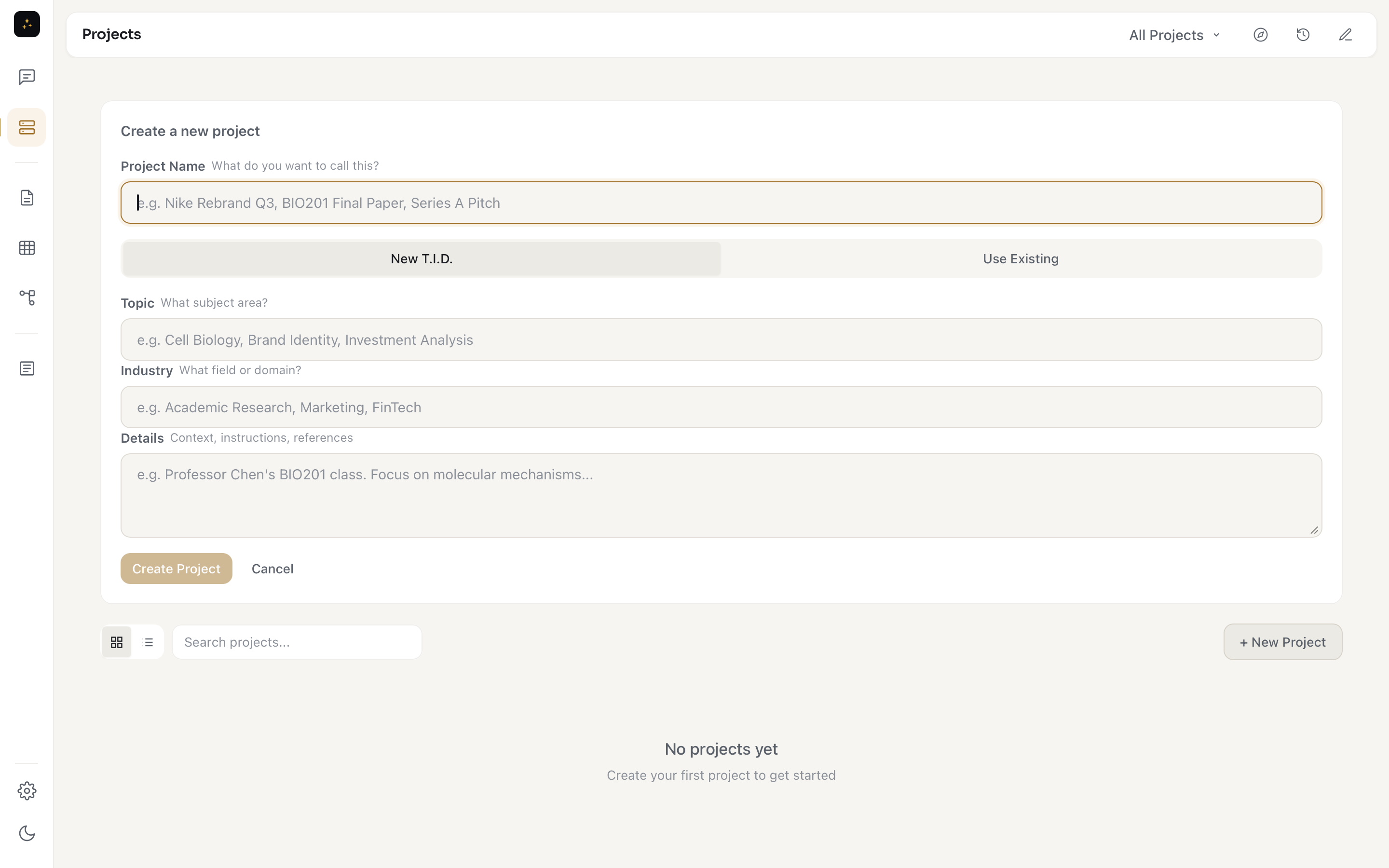
Create the context your AI needs.
Documents, notes, charts, images, research — all in one place per project. Open a project and see everything related to it. Switch projects and the entire context switches with you.
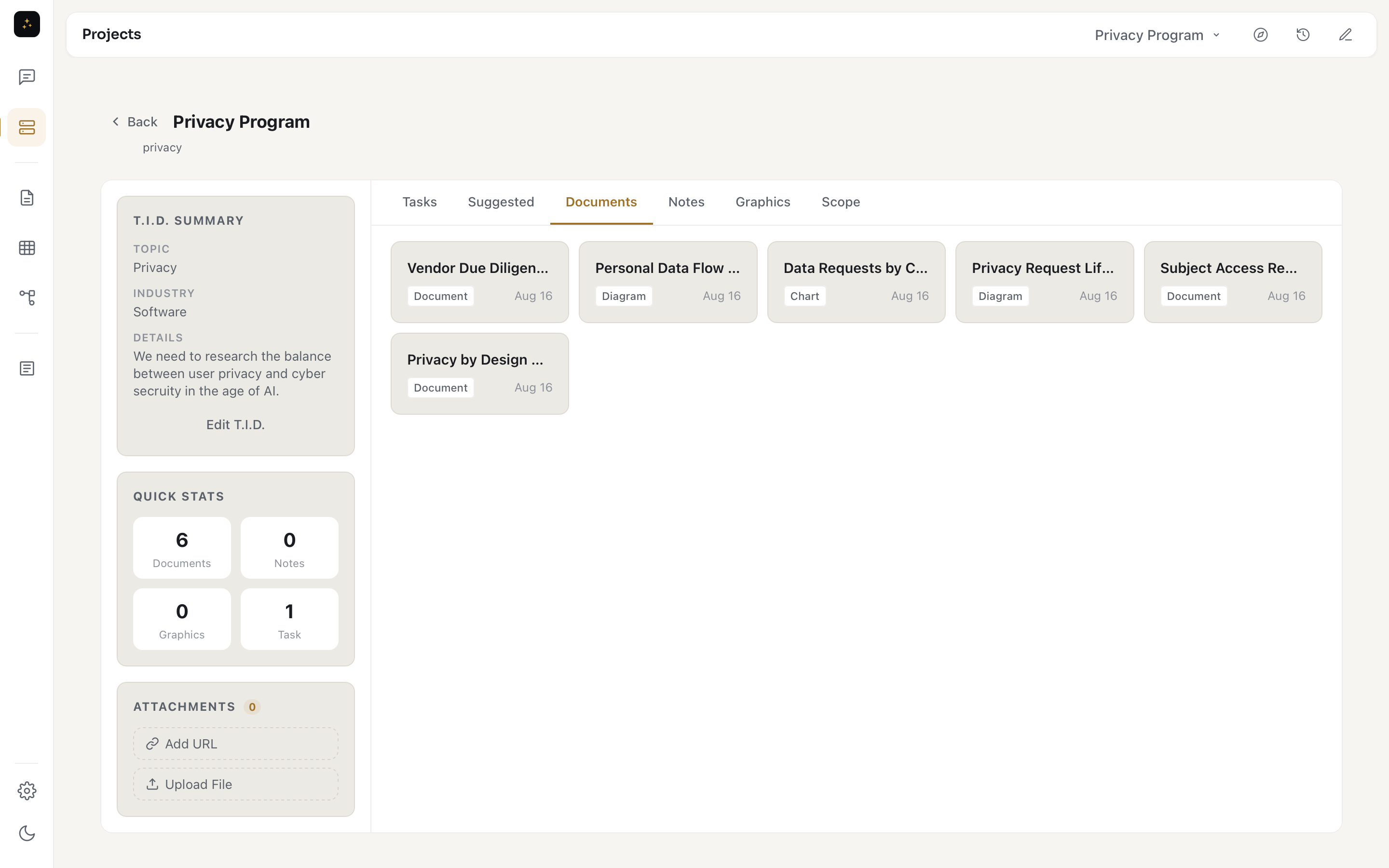
Every deadline has a date. Every date reminds you.
Set your project's key dates up front — milestones, submissions, deadlines. Add more as work evolves. Everything lands on one calendar inside the project, and COTID keeps you covered: a bell in the header shows what's due or overdue across every project, and desktop notifications fire the moment something comes due.
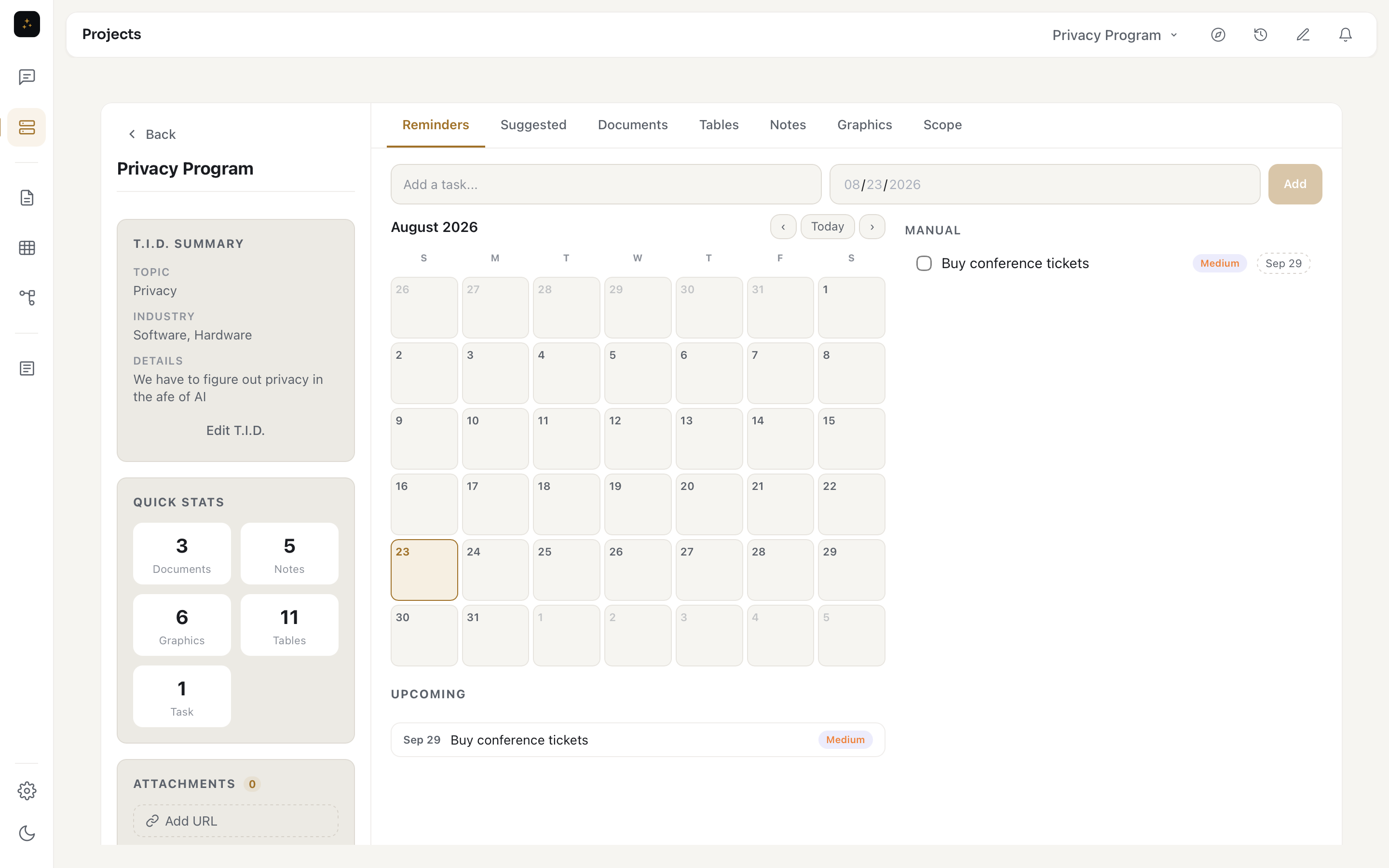
Dump everything in. It connects itself.
Voice notes, file uploads, pasted links, random ideas at 2am. Drop them into your project and DiffusionScope™ connects them — linking notes to documents, surfacing relevant research, suggesting where things belong.
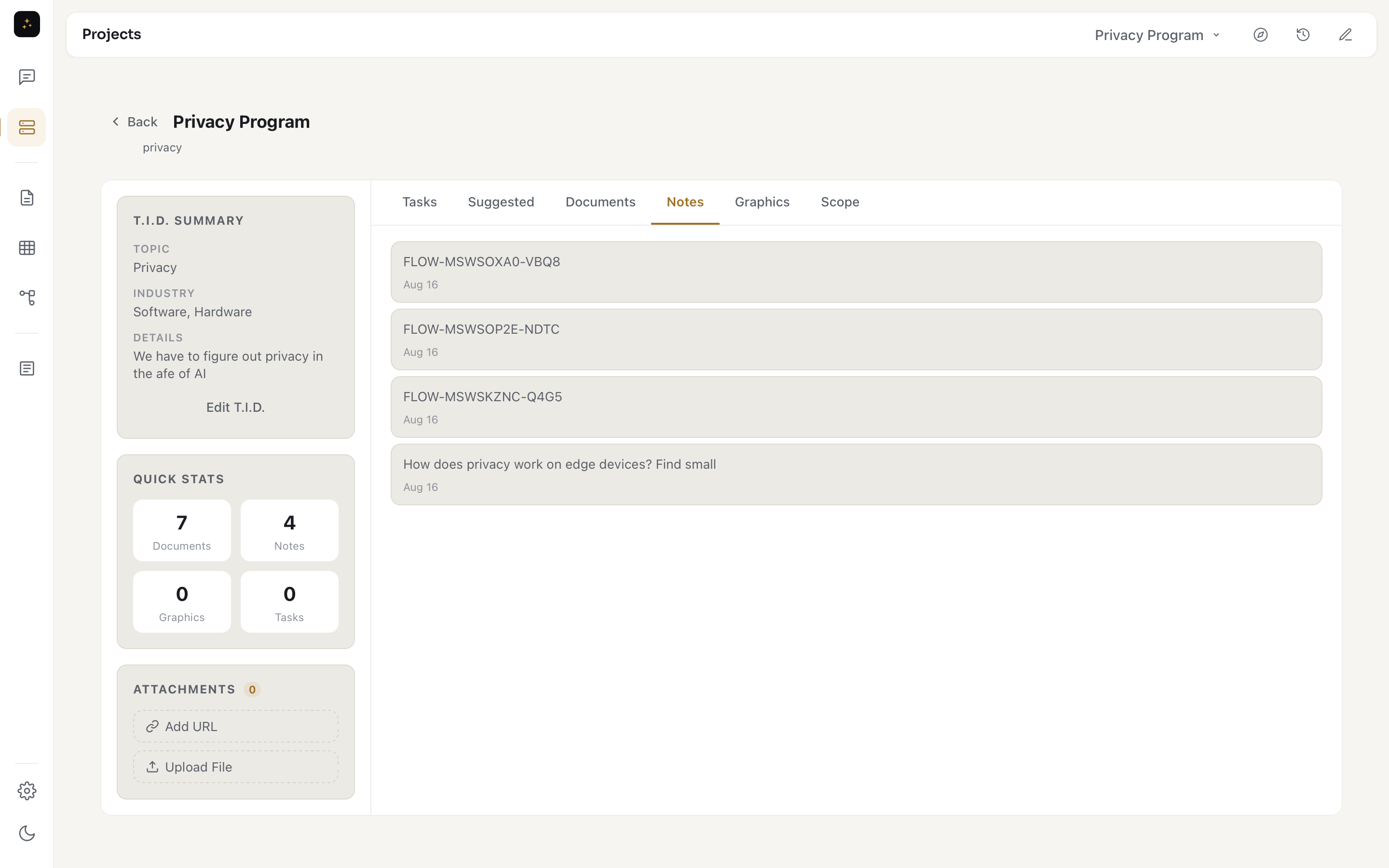
Same expertise. Different projects.
Your TID™ configurations are reusable. Working with 5 clients in the same field? Same scope, different projects. The AI's expertise carries over — you just point it at new work.
Define your scope in 30 seconds.
Free for 14 days. Every feature. Billed only after your trial.
Download COTID AI